Showing posts with label Web App Development. Show all posts

Thursday, May 15, 2025

A Full-Stack Developer’s Checklist Before Launching a Web App


Launching a web app isn’t just pushing code to production. It’s the culmination of design, development, testing, optimization, and a whole lot of stress. Whether you're working solo or in a team, having a full-stack developer's checklist can be the difference between a smooth launch and a post-launch disaster. Let's walk through a launch-ready checklist every full-stack developer needs to master.

1. Final Code Review & Version Control Hygiene

Before anything goes live, double-check your codebase.

  • Ensure all code is committed and pushed to the main branch

  • Delete unused branches to reduce clutter

  • Use meaningful commit messages

  • Run a peer review or a final self-review using a checklist

  • Tag your release using semantic versioning (e.g., v1.0.0)

A good rule of thumb I follow is to treat every commit like it could be the one that ships to production. If you're working across the stack, keeping your commits clean and your branches organized is half the battle. If you’re curious, here’s how I think about full-stack development when it comes to laying a solid foundation for a clean, scalable codebase.

Why it matters: A clean repo ensures traceability, prevents merging conflicts later, and makes rollback smoother.

2. Environment Configurations: Don’t Let .env Files Bite You

You don’t want dev credentials or debug flags leaking into production.

Checklist:

  • Ensure .env files are not in version control

  • Configure API keys, database URLs, and third-party integrations properly for production

  • Set appropriate NODE_ENV=production or similar runtime flags

Tool Tip: Use services like AWS Secrets Manager or dotenv vault to manage secrets securely.

3. Frontend Optimization & Performance Tweaks

Nobody wants a slow web app. Before launch, tighten your frontend.

Pre-launch Frontend Optimization Tips:

  • Minify CSS, JS, and HTML

  • Lazy load images and videos

  • Optimize fonts and remove unused assets

  • Set up caching headers

Check out our frontend development services if you want high-performance UI with zero fluff.

4. Backend Stability & API Health

APIs are your app's nervous system. Make sure they’re production-ready.

Backend Checklist:

  • Run unit, integration, and stress tests

  • Rate-limit and throttle endpoints

  • Validate inputs to prevent injection attacks

  • Enable API monitoring via tools like Postman, Swagger, or Prometheus

Well-structured backend development ensures your app doesn't crumble under real traffic. Learn more about our backend development workflows for robust server-side solutions.

5. Database Checks & Migrations

You don’t want to be running destructive queries live.

Database Readiness:

  • Backup your production database before launch

  • Double-check migration scripts

  • Seed production data if necessary

  • Set up database monitoring for real-time health

Bonus: Use tools like Prisma or Sequelize to handle schema versioning and rollback.

6. SEO, Metadata & Analytics Setup

Make your web app discoverable and measurable.

Checklist:

  • Add title, meta description, and OG tags for social sharing

  • Integrate Google Analytics or Plausible

  • Submit sitemap.xml and robots.txt

  • Set canonical URLs

  • Use structured data (Schema.org) for better indexing

SEO Pro Tip: A faster-loading site improves rankings. Backend and frontend optimization play a huge role here.

7. CI/CD Pipeline Configuration

Automation reduces human error.

CI/CD Best Practices:

  • Use tools like GitHub Actions, GitLab CI, or CircleCI

  • Automate testing, linting, and deployment

  • Include staging environments for dry runs

  • Trigger notifications on failure

Integrate logging tools like Sentry and Datadog to instantly catch post-deployment bugs.

8. Security Hardening

Don’t be that developer who left the admin panel wide open.

Security Must-Haves:

  • Enable HTTPS with TLS 1.2+

  • Use a helmet or similar middleware for HTTP headers

  • Sanitize all inputs and escape outputs

  • Set secure, HttpOnly cookies

  • Check dependencies for vulnerabilities

Tool Tip: Use OWASP ZAP or Snyk to scan your app before release.


9. Cross-Browser & Mobile Compatibility Testing

What works on Chrome might break on Safari. Test widely.

Checklist:

  • Test across major browsers (Chrome, Firefox, Safari, Edge)

  • Ensure mobile responsiveness

  • Validate on real devices or use BrowserStack

  • Fix UI glitches, font rendering, and interactive bugs

10. Load Testing & Performance Benchmarks

Can your app handle the heat?

Performance Validation:

  • Use tools like JMeter, Apache Bench, or k6 for load testing

  • Measure TTFB, FCP, and LCP scores

  • Simulate high concurrent users

  • Benchmark against competitors

Fact: Users bounce if your page doesn’t load in 3 seconds or less.

11. Accessibility Compliance (a11y)

Good design is inclusive.

Accessibility Essentials:

  • Use semantic HTML and ARIA roles

  • Ensure color contrast ratios meet WCAG 2.1 standards

  • Make keyboard navigation seamless

  • Add alt tags to images

  • Test with screen readers like NVDA or VoiceOver

Accessibility isn’t optional. It's a necessity.

12. Final Pre-launch Smoke Test

It’s the final lap. Do a smoke test with your team or QA.

Test for:

  • Login and signup flows

  • Cart and checkout (if applicable)

  • Page routing and 404s

  • Browser console errors

  • Broken links or missing assets

Take notes. Fix fast. Then ship with confidence.

Conclusion

If you’ve checked every box above, you're ahead of 90% of developers out there. Launching a web app isn't just technical—it's about delivering a polished, secure, and scalable product users can rely on.

Need help with your next launch? Explore our web development services to bring your vision to life, from frontend to backend and everything in between.

Tuesday, May 13, 2025

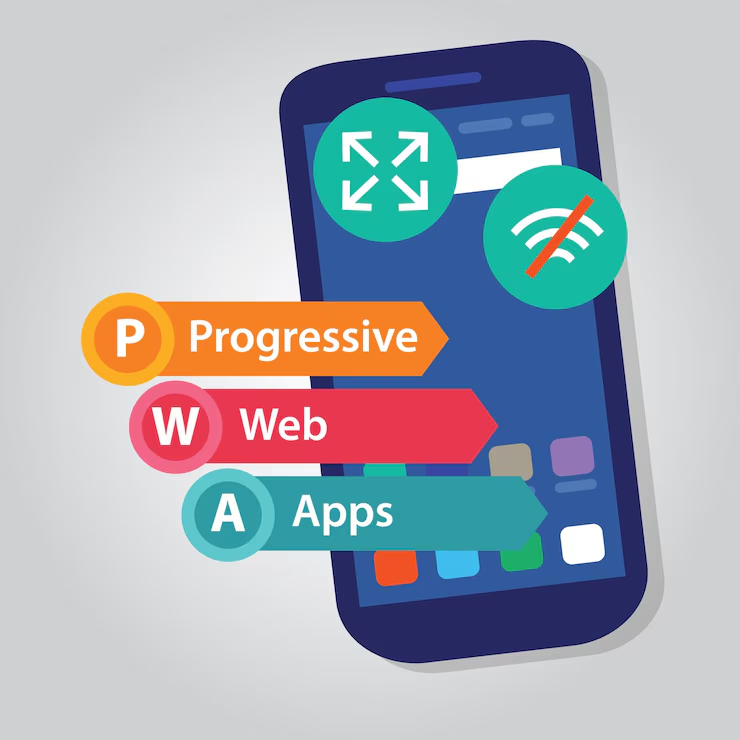
Building a Progressive Web App (PWA) That Works Offline

Building a Progressive Web App (PWA) that works offline isn’t just a bonus anymore; it’s a competitive advantage. In 2025, users expect apps to perform seamlessly even with spotty internet. Whether you’re in a subway, a dead zone, or halfway across the world, reliability is non-negotiable. That’s why offline capabilities aren’t just nice to have. They’re the standard. In this guide, we’re breaking down how to build a PWA that works offline and why it could be the smartest move for your next web development project.

What is a Progressive Web App?

A Progressive Web App is a web application that uses modern web capabilities to deliver an app-like experience. It loads like a regular website but offers functionality like push notifications, background sync, and most importantly, offline access. If you are aiming to build something future-proof that combines performance and flexibility, web app development is where you want to start.

Core Characteristics of a PWA

  • Progressive: Works for every user regardless of browser.

  • Responsive: Adapts to any screen size.

  • Connectivity Independent: Works offline or on low-quality networks.

  • App-like: Feels like a native app.

  • Installable: Can be added to the home screen.

  • Secure: Served via HTTPS.

  • Linkable: Easily shareable via URLs.

Why Offline Functionality is Crucial in 2025

Let’s talk numbers. According to a recent Google study, 53% of users abandon mobile sites that take longer than 3 seconds to load, and 70% of users are more likely to return to a PWA. Now imagine if your app could load instantly, even with no internet.

Benefits of Offline-Ready PWAs

  • Reduced bounce rates

  • Increased user retention

  • Higher engagement in low-connectivity regions

  • Better overall performance metrics

The Role of Service Workers

If PWAs had a backbone, it’d be the Service Worker. A service worker is a script that runs in the background, separate from your web page. It intercepts network requests and manages caching, enabling offline access and background sync.

What Service Workers Can Do

  • Cache assets and API responses

  • Serve cached content when offline

  • Update the cache in the background

  • Handle push notifications

Here’s a simplified flow:

  1. User visits your web app.

  2. Service worker caches static and dynamic resources.

  3. User goes offline.

  4. App still works, served from the cache.

How to Set Up a Service Worker for Offline Support

Step-by-Step Setup:

  1. Register the Service Worker:

if ('serviceWorker' in navigator) {

  navigator.serviceWorker.register('/sw.js')

    .then(() => console.log('Service Worker registered!'))

    .catch((error) => console.error('Registration failed:', error));

}

  1. Install Event: Cache assets.

self.addEventListener('install', event => {

  event.waitUntil(

    caches.open('app-static-v1')

      .then(cache => cache.addAll([

        '/',

        '/index.html',

        '/styles.css',

        '/app.js'

      ]))

  );

});

  1. Fetch Event: Serve from cache when offline.

self.addEventListener('fetch', event => {

  event.respondWith(

    caches.match(event.request).then(response => {

      return response || fetch(event.request);

    })

  );

});

This basic setup ensures your web app remains accessible, even when the internet isn’t.

Smart Caching Strategies to Enhance Performance

Not all caching is equal. You need to balance performance with freshness. Here are some winning strategies:

  • Cache First, Network Fallback: Serve from cache, then fetch updated content.

  • Network First, Cache Fallback: Use for dynamic content that changes often.

  • Stale-While-Revalidate: Serve cached content while fetching an update in the background.

Use tools like Workbox to simplify complex caching strategies and add expiration, routing, and more.

Making It Installable: The Web App Manifest

Your PWA can be added to a user’s home screen. To enable this, you need a Web App Manifest.

Manifest Example

{

  "name": "My Offline App",

  "short_name": "OfflineApp",

  "start_url": "/",

  "display": "standalone",

  "background_color": "#ffffff",

  "theme_color": "#000000",

  "icons": [

    {

      "src": "/icon-192x192.png",

      "sizes": "192x192",

      "type": "image/png"

    }

  ]

}

This enables your app to be launched like a native app, without browser UI.

Testing and Debugging Your Offline Experience

Offline readiness isn’t complete without testing.

Use these tools

  • Lighthouse: Audit PWA capabilities

  • Chrome DevTools > Application Tab: Test Service Workers and simulate offline

  • Workbox CLI: Automate caching and deployment

Make sure you test across different devices and browsers to ensure consistency.

Bonus: Push Notifications and Background Sync

While offline mode is vital, PWAs can also re-engage users.

Add-ons to consider:

  • Push Notifications: Engage users even when the app is closed.

  • Background Sync: Retry failed actions when connectivity is restored.

These features make your PWA truly dynamic and close the gap with native apps.

Real-World Examples of Offline-Ready PWAs

Some of the most successful PWAs include:

  • Twitter Lite: 70% reduction in data usage

  • Forbes: 43% increase in sessions per user

  • Starbucks: Orders can be made offline and synced later

The numbers speak volumes. An offline-first approach can scale user adoption, retention, and brand trust.

How Bluell Can Help Build Offline-Ready PWAs

If you're looking to build a modern, scalable web application with offline support, check out Bluell's web development services. From service worker implementation to full-stack scalability, our team understands what it takes to deliver a PWA that actually performs.

Conclusion

PWAs that work offline don’t just serve users better, they make businesses smarter. You gain reach in disconnected areas, improve performance metrics, and reduce churn. By investing in offline functionality through service workers, caching strategies, and solid testing, you’re building more than a web app. You’re building a dependable, installable product that feels native.

Ready to take your user experience to the next level? Make offline-first thinking your new default in web development.


UX Red Flags: Why Users Drop Off During Onboarding

  The first few minutes a user spends in your app or product are make-or-break. Onboarding UX isn’t just about tutorials and tooltips; it’s...