Showing posts with label mobile app. Show all posts

Thursday, June 5, 2025

Leverage Edge Computing to Reduce Latency in Your App

Introduction: Beat the Lag Before It Kills UX

Latency kills user experience. If your app takes more than a couple of seconds to load or respond, users bounce. In 2025, when real-time interaction is king, this matters more than ever. That’s where edge computing comes in. It processes data closer to the user, reducing latency and improving speed drastically. Whether you're building a fintech app or a real-time chat platform, edge computing isn't optional; it's foundational.

What Is Edge Computing (And Why It Beats the Cloud at Speed)?

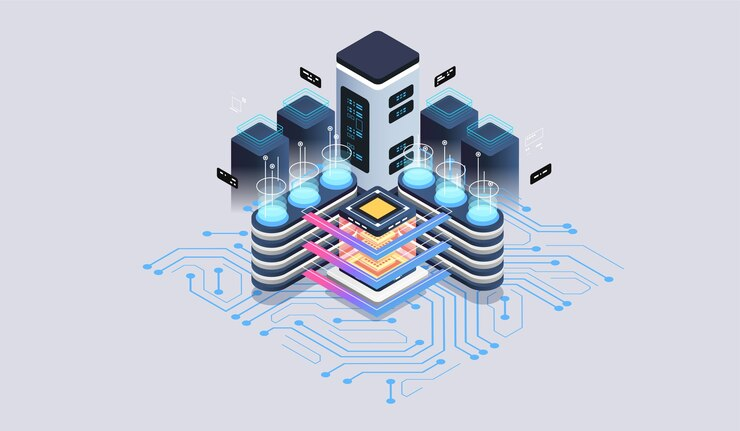
Edge computing means moving computation closer to the data source rather than relying on centralized cloud servers. Instead of routing data all the way to a remote server and back, edge devices process data locally or in nearby data centers.

Why it matters:

  • Faster response time (sub-50ms latency)

  • Reduced bandwidth consumption

  • Higher availability and reliability

  • Improved data security

According to Gartner, by 2025, 75% of enterprise-generated data will be processed at the edge, up from just 10% in 2018.

Cloud is great. But when every millisecond matters, edge wins. If you're developing apps that require speed and responsiveness, especially on mobile, check out our Mobile App Development Services for practical solutions tailored for edge-ready architecture.

Step 1: Identify Latency Hotspots in Your App

Before you slap edge nodes onto your architecture, know where latency lives.

Common latency hotspots:

  • Authentication and token validation

  • Real-time messaging and notifications

  • Video streaming or rendering

  • Geo-based data services

  • IoT devices and sensors

Quick checklist:

  • What user actions trigger server requests?

  • How many network hops does each request take?

  • Which endpoints experience frequent delays?

Understanding this is the groundwork for deciding which processes should move to the edge.

Step 2: Choose the Right Edge Infrastructure

There are multiple options to deploy edge computing. The one you choose depends on your stack, user base, and budget.

Popular edge platforms:

  • Cloudflare Workers: Serverless edge functions for web apps

  • AWS Lambda@Edge: Integrates with CloudFront CDN

  • Vercel Edge Functions: Tailored for frontend-heavy apps

  • Azure IoT Edge: Great for industrial and sensor-heavy apps

  • Netlify Edge: Useful for JAMstack and static apps

Considerations:

  • Proximity to users (are your users global or localized?)

  • Integration with existing CI/CD and DevOps

  • Vendor lock-in vs open-source flexibility

Read more about performance integration with our Frontend Development Services.

Step 3: Offload Logic to the Edge

Offloading isn’t about moving everything to the edge. It’s about moving the right logic.

Best candidates to offload:

  • Content caching and personalization

  • Authentication middleware

  • Rate limiting and geo-routing

  • API request validation

  • Real-time updates (chat, dashboard refresh)

Real-world example: Vercel users can deploy middleware functions to the edge to handle routing and auth in milliseconds, before the request ever hits the core backend.

This results in a snappier UI and lower server cost.

Step 4: Sync Edge and Origin Seamlessly

The biggest mistake in edge computing is creating inconsistencies between the edge and the origin.

How to prevent it:

  • Use pub/sub messaging systems (like Redis or Kafka) to sync states

  • Implement proper cache invalidation strategies

  • Use versioning for APIs and edge logic

  • Monitor edge nodes with observability tools (Datadog, Grafana)

Performance Insight:

  • Contentful uses edge caching to deliver CMS data globally with under 100ms latency

Proper sync = UX consistency. No mismatched data. No weird delays. No bugs.

Step 5: Test, Monitor, and Optimize Continuously

Edge isn't set-and-forget. You need to monitor real-world performance.

Monitoring tools:

  • Pingdom / GTmetrix for load time

  • Lighthouse / WebPageTest for frontend rendering

  • New Relic / Datadog for backend latency tracking

  • Real User Monitoring (RUM) to assess actual end-user delays

Test variables:

  • Load under peak traffic

  • Geolocation-based testing

  • Cache hit/miss ratio

  • Node failover scenarios

Optimizing continuously makes sure your app always feels fast, even if the backend's having a bad day.

The Data Backs It Up: Edge Performance by Numbers

  • Cloudflare reports a 40-60% reduction in latency after moving core functions to the edge.

  • Netflix deploys Open Connect appliances (edge devices) and saves over 30% in CDN cost while improving stream stability.

  • Retailers using AWS Lambda@Edge saw conversion rates improve by up to 15% due to faster load times.

Latency = lost revenue. And edge computing is your best insurance policy.

Final Thoughts: Build for the Edge, Not Just the Cloud

Edge computing isn’t just another buzzword—it’s the infrastructure layer for modern, low-latency, high-performance apps. If you’re building something that users interact with in real time, from anywhere in the world, edge isn’t optional anymore.

To summarize:

  • Know your latency hotspots

  • Pick the right edge tools for your stack

  • Move the right pieces of logic to the edge

  • Sync them properly with your core app

  • Monitor and iterate constantly

Apps that win in 2025 will be those that feel instantaneous. Edge makes that happen.

Need help putting this into action? Explore our UI/UX Design Services and frontend solutions to ensure your users' experience is speed, not lag.





Friday, May 9, 2025

Tackle app crashes by strengthening mobile code quality

Why App Crashes Are Killing Your Growth

App crashes are the silent killers of mobile growth. If users open your app and it crashes even once, 70% of them won’t come back. That’s brutal. In a world where user experience is king, having bulletproof code isn’t optional—it’s survival. Strengthening mobile code quality should be at the top of your dev priorities if you want to retain users, protect brand trust, and drive long-term app success.

Mobile app development is more than just shipping features. It’s about creating stable, scalable, and crash-resistant experiences from day one. And that starts with writing better code.

The Real Cost of Crashing Apps

You may think a crash is a small hiccup. But the reality? It’s a user trust breaker. According to research by Crittercism, apps with crash rates over 1% are quickly abandoned.

Here’s what crashes are really costing you:

  • User churn: One crash can reduce daily active users by 16%

  • Revenue loss: Mobile apps lose $10,000–$100,000 per month due to stability issues

  • Brand damage: Poor reviews and app store ratings affect long-term visibility

  • Support overhead: More crashes mean more tickets, refunds, and angry emails

Every crash is a sign that your code needs attention. Many of these issues can be prevented through stronger mobile app development practices, which development teams are prioritizing from day one.

The Root Causes of Poor Code Quality

Let’s call it out: rushed development, spaghetti code, and a lack of testing culture kill app performance. Here are some of the most common culprits behind unstable mobile code:

  • Lack of structured architecture (e.g., MVVM, Clean Architecture)

  • No dependency management strategy

  • Absence of unit and integration tests

  • Memory leaks and improper thread handling

  • Inconsistent code practices across teams

These issues don’t show up on Day One—but they creep in, and before you know it, every update breaks something else.

Start With a Strong Foundation: Best Practices for Mobile Code Quality

Want to reduce crashes? Build a strong foundation. Follow these fundamentals:

  • Stick to one architecture pattern: MVVM, MVP, or Clean Architecture keeps your logic clear and maintainable

  • Use static code analysis tools: Tools like SonarQube, Lint, and SwiftLint catch issues before they hit production

  • Write modular code: Separate UI, business logic, and data layers for easier testing and refactoring

  • Perform thorough unit testing: Ensure your functions behave as expected in isolation

  • Adopt code reviews: Peer reviews uncover bugs early and reinforce best practices

These steps aren’t "nice-to-haves." They’re the foundation of crash-free development.

Automate Your Testing and CI/CD

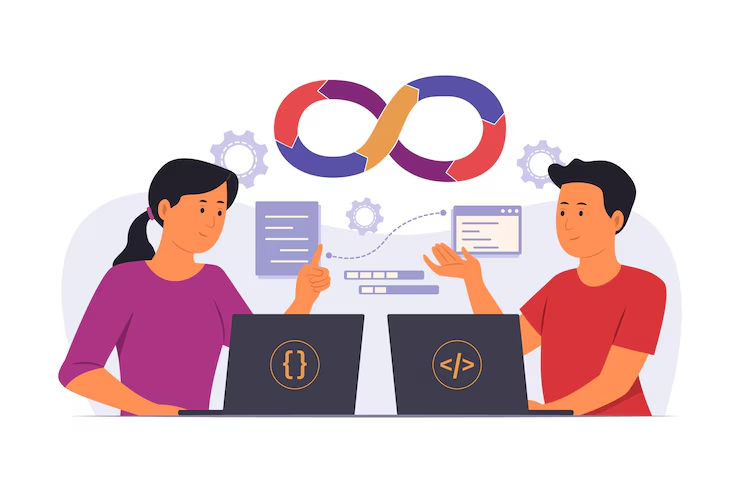
Manual QA won’t catch everything. Automated testing and Continuous Integration/Deployment (CI/CD) pipelines help you find bugs faster and ship more confidently.

  • Unit Tests: Cover core functions and logic

  • UI Tests: Test user flows across devices

  • Integration Tests: Validate how modules interact

  • Crash Reporting Tools: Firebase Crashlytics, Sentry, or Bugsnag can alert you in real time

CI/CD tools like GitHub Actions, Bitrise, and Jenkins can automatically run your test suite on every push. This way, bad code doesn’t make it past the gates.

Don’t Skip Monitoring After Launch

The job isn’t done at launch. Real users behave differently from testers. Post-release monitoring is where the real quality control happens.

Here’s what you should monitor:

  • Crash reports (real-time)

  • App load time and responsiveness

  • Battery and memory consumption

  • Device and OS-specific issues

Keep a regular update schedule and fix reported issues quickly. This will reflect in your app store ratings and user retention metrics.

Also, consider working with a team that understands lifecycle monitoring as part of mobile app development. Continuous performance audits make a major difference.

Optimize for Device Diversity

There are over 24,000 distinct Android devices and dozens of iOS versions still in use. What works on one phone may crash on another.

Your code should account for:

  • Multiple screen sizes and resolutions

  • Different chipsets (ARM, Snapdragon, etc.)

  • Low RAM or older OS versions

Use device farms like Firebase Test Lab or AWS Device Farm to test your builds across real hardware. And never release without testing at least the top 5 device models used by your users.

Train Your Developers for Quality

Your app is only as good as the people building it. Invest in developer education:

  • Host internal code workshops

  • Use pair programming sessions

  • Set team coding standards and documentation rules

This creates a culture where clean code is the default, not the exception.

Also, lead devs should mentor junior devs on writing defensive code—handling nulls, exceptions, and unexpected states properly.

UX + Code Quality Go Hand in Hand

Even if your UI is stunning, a crash during checkout or login ruins everything. Great UX starts with reliable performance.

  • Avoid unnecessary animations that drain CPU

  • Optimize API calls to reduce timeouts and crashes

  • Provide useful error messages, not cryptic codes

A seamless UX is impossible if your backend or frontend logic breaks down under pressure.

Future-Proof Your App With Scalable Code

Code quality isn’t just about stability. It’s also about agility.

  • Can your team add a feature in a day or a week?

  • Does a small change break unrelated parts of the app?

  • Can you onboard a new developer without a 2-month learning curve?

If you answered no to any of those, your code quality needs help.

Scalable code ensures that your app can evolve, pivot, or grow without collapsing under its own weight.

Conclusion

App crashes are a symptom. The disease is weak code.

You don't need more features—you need stronger code. You don’t need another update—you need better foundations. Tackling slowdowns, crashes, and churn comes down to one thing: code quality.

If you're serious about retaining users and scaling your app, invest in your mobile code quality early. Everything else becomes easier when your app just works.

And remember: users might forgive a clunky design. But they’ll never forgive a crash.


UX Red Flags: Why Users Drop Off During Onboarding

  The first few minutes a user spends in your app or product are make-or-break. Onboarding UX isn’t just about tutorials and tooltips; it’s...