
Showing posts with label ui/ux. Show all posts

Friday, July 18, 2025

UX Red Flags: Why Users Drop Off During Onboarding


The first few minutes a user spends in your app or product are make-or-break. Onboarding UX isn’t just about tutorials and tooltips; it’s the moment you either hook someone for life or lose them forever. In fact, according to a 2024 study by Localytics, 21% of users abandon an app after just one use, and poor onboarding is often to blame.

👉 If you're designing user flows or wireframes, understanding these UX red flags can help prevent early exits. Here’s a practical guide to applying effective frontend UX principles that make onboarding seamless.

1. Information Overload from the Start

Ever opened an app and been greeted by six pop-ups, two tooltips, and a sign-up form all at once? That’s information overload, and it’s a major red flag.

Why It’s a Problem:

  • Users feel overwhelmed and confused.

  • They don’t know where to start or what matters.

  • Cognitive load increases, making it more likely they’ll abandon the app.

How to Fix It:

  • Break onboarding into small, digestible steps.

  • Show only what’s necessary at each phase.

  • Use progressive disclosure: reveal more as users interact.

💡 Tip: Apps that use just-in-time guidance during onboarding retain users up to 35% longer, according to Mixpanel.

2. Asking for Too Much Too Soon

You’ve seen it—a new user opens the app and is immediately asked to sign up, share personal info, and enable notifications. This approach kills trust before it even starts.

What Users Think:

  • “Why do you need all this info?”

  • “I don’t even know what this app does yet.”

  • “No thanks. I’m out.”

A Better Approach:

  • Allow guest access or minimal sign-up.

  • Delay permission prompts until the value is shown.

  • Explain why each piece of information is needed.

3. Skipping User Context and Motivation

One-size-fits-all onboarding doesn't work because users have different goals, roles, and expectations.

Common Pitfall:

  • A productivity app gives the same intro tour to a student and a project manager.

Instead:

  • Ask a simple question at the beginning: “What are you here to do?”

  • Tailor the onboarding flow based on user intent.

  • Use behavioral data to personalize future interactions.

According to Appcues, personalized onboarding can boost user retention by 50%.

4. Unclear Value Proposition

You’ve built something great, but if a user doesn’t understand what your product does or why they should care, within seconds, you’ve already lost them.

Red Flags:

  • Generic headlines like “Welcome to our app!”

  • No visual or functional cue about the core benefit

  • No demo or immediate value experience

Instead:

  • Highlight the key value on the first screen.

  • Use simple language that speaks to user's pain points.

  • Provide a quick win—something useful in under 60 seconds.

Apps that fail to communicate value in the first session are 3x more likely to be abandoned, per Adjust's mobile benchmarks.

5. Lack of Feedback During Interaction

Silence is scary in UX. When users click a button and nothing happens—or worse, they don’t know if something is loading—they feel stuck.

Missing Feedback Examples:

  • No loading spinner after submitting a form

  • No confirmation after a step is completed

  • No hint of next steps

Best Practices:

  • Always show state changes (loading, success, error)

  • Use microinteractions to guide the flow

  • Add animations to reduce perceived wait times

Nielsen Norman Group emphasizes that feedback is one of the 10 usability heuristics, and one of the most commonly ignored in onboarding.

👉 For deeper insights into how these subtle design choices influence behavior, check out this breakdown on the UX psychology of microinteractions.

6. Ignoring Mobile UX Constraints

If your onboarding is just a scaled-down version of your web onboarding, you're doing mobile wrong. Mobile onboarding requires:

  • Bigger buttons for thumbs

  • Clear visual hierarchy

  • Fast load times on weak networks

Mobile-Specific Onboarding Tips:

  • Keep the copy short and readable

  • Use swipes instead of clicks where natural

  • Test in both portrait and landscape modes.

7. Forced Tutorials with No Exit

Some apps force users to complete a 5-step tutorial before they can actually use the product. That’s a guaranteed way to irritate people who just want to explore.

Why It’s Harmful:

  • Blocks early adopters who prefer discovery

  • Slows down power users

  • Creates friction for repeat users

A Smarter Way:

  • Make tutorials optional or skippable

  • Offer tooltips in context as users explore

  • Provide an easy way to restart onboarding later

Bonus: A/B test different onboarding paths, skippable vs non-skippable, and track engagement.

8. Overreliance on Empty States

Empty states (screens with no data yet) are often ignored, but they’re actually prime onboarding real estate.

Poor Usage:

  • Blank screen saying “No projects yet” with no direction

Smart Usage:

  • “Create your first project” CTA with a tooltip

  • Example templates or sample content

  • Short how-to animations

 Empty states are the onboarding moment of truth; don’t waste them.

Final Thoughts: Onboarding is a UX Conversation

Good onboarding isn’t about showing users how your product works—it’s about helping them experience value as quickly and clearly as possible.

Think of onboarding as a two-way conversation: your app should listen, guide, and adapt. Avoiding these UX red flags can mean the difference between a user bouncing and a user becoming an advocate.

Want to go deeper into the frontend and design side of building onboarding flows that retain users? Explore the principles behind successful frontend development strategies that focus on usability from the first tap.


Wednesday, June 11, 2025

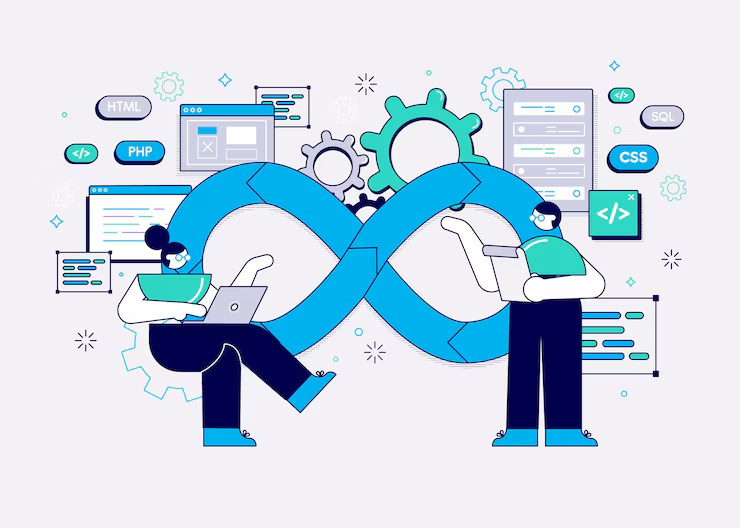
Turbocharge Scalability Using Bluell’s Cloud-Native DevOps Practices


In today’s fast-paced tech landscape, scalability is not a luxury; it’s a lifeline. Startups, scaleups, and enterprise giants alike face one common challenge: systems that buckle under pressure when growth accelerates. That’s where Bluell’s cloud-native DevOps practices come in, offering scalable architecture and delivery pipelines built for speed, resilience, and continuous innovation.

We’re not talking buzzwords here. At Bluell, we engineer infrastructure that doesn't just "work" today, it thrives tomorrow. From Kubernetes orchestration to continuous integration, our DevOps culture blends automation, monitoring, and agile workflows with a cloud-first mindset.

Why Cloud-Native DevOps is Critical for Scalability

Traditional systems hit a wall when growth spikes. Legacy apps, manual deployment, and static infrastructure can’t keep up with modern demands. That’s why Cloud Services are built to eliminate these roadblocks, enabling real-time scalability and infrastructure flexibility. Cloud-native DevOps solves that by combining two powerful strategies:

  • Cloud-Native: Containerized, microservice-based, dynamically managed infrastructure

  • DevOps: Collaborative engineering culture focused on continuous delivery, automation, and system observability

Key Benefits of Bluell’s Cloud-Native DevOps Approach:

  • Rapid deployment with zero downtime

  • Auto-scaling to handle traffic surges

  • Resilience through container orchestration

  • Continuous integration and delivery (CI/CD)

  • Real-time monitoring and rollback

Statistic: According to Puppet's State of DevOps Report, elite DevOps teams deploy 973x more frequently with 6570x faster lead times than low performers.

Bluell’s Core Cloud-Native DevOps Practices

Our DevOps engineering isn’t theoretical. It's built into every project we deliver. Here are the key pillars of our approach:

1. Infrastructure as Code (IaC)

Using Terraform and Pulumi, Bluell codifies your infrastructure setup. This brings:

  • Version-controlled infrastructure

  • Repeatable, automated provisioning

  • Fast rollback and recovery

Your entire stack—from virtual machines to Kubernetes clusters—is documented and deployable.

2. Containerization with Docker & Kubernetes

Containers eliminate the "it works on my machine" problem.

  • Consistent environments from dev to prod

  • Horizontal scaling with Kubernetes

  • Rolling updates and self-healing pods

Every app we deploy is optimized for cloud-native performance.

3. CI/CD Pipelines that Drive Innovation

Our pipelines use GitHub Actions, GitLab CI, and Bitbucket Pipelines to automate everything:

  • Code build, test, and deploy with each commit

  • Canary deployments for safe feature releases

  • Automated rollback on failure

This shortens your feedback loop, allowing innovation at speed.

4. Observability and Monitoring

You can’t scale what you can’t see. We implement full observability using:

  • Prometheus and Grafana dashboards

  • New Relic for performance tracing

  • Elastic Stack (ELK) for log aggregation

This gives devs and stakeholders real-time visibility into infrastructure and application health.

Scaling in the Cloud: Bluell's Multi-Cloud Strategy

We design with cloud-agnostic flexibility, supporting AWS, Azure, and Google Cloud.

  • High availability zones for failover

  • Cost-optimized resource allocation

  • API-driven provisioning across providers

Interesting Insight: Multi-cloud strategies reduce vendor lock-in and increase reliability, a major win for enterprise-grade scalability.

Real-World Results: Case Study in E-commerce

A growing e-commerce client needed their backend to handle traffic spikes during sales events. Bluell implemented:

  • Auto-scaling Kubernetes clusters

  • CI/CD pipelines with load testing

  • Real-time rollback and alerting

  • Infrastructure-as-code for repeatable environments

Results:

  • 99.99% uptime during Black Friday

  • 35% faster feature delivery

  • 2x decrease in deployment rollback incidents

DevSecOps: Built-In Security from Day One

Security isn’t a final checkbox. We build it into the pipeline:

  • Secrets management with HashiCorp Vault

  • Image scanning via Trivy and Clair

  • RBAC enforcement and audit logging

Our cloud-native DevOps stack meets SOC2, GDPR, and HIPAA standards.

DevOps Culture = Human + Tools

What makes Bluell different? We don’t just install DevOps tools—we instill DevOps culture.

  • Cross-functional teams that communicate daily

  • Pair programming and code reviews

  • Weekly retros and data-driven sprint planning

Engineering practices are backed by collaboration, not just automation.

Avoiding Common Pitfalls in Scaling

Here are 5 scaling mistakes we help clients avoid:

  1. Over-provisioning: Wasting cloud budget on unused resources

  2. Under-monitoring: Missing critical error signals

  3. Manual deploys: Delays, inconsistencies, and higher failure rates

  4. Hard-coded secrets: Major security vulnerability

  5. Lack of rollback: Extended outages due to failed releases

Bluell’s architecture is built to mitigate all of these from day one.

When Should You Invest in Cloud-Native DevOps?

You don’t need to be Netflix-scale to benefit. Bluell helps teams of all sizes build resilient, scalable systems.

You need DevOps if:

  • Your app crashes under load

  • Features take weeks to go live

  • You can’t track production issues in real-time

  • You're moving to cloud-native or microservices

Aligning DevOps with UX and Product Strategy

DevOps doesn’t live in a silo. By aligning with UI/UX design, product owners, and QA, we:

  • Ship faster without breaking the design

  • Run usability tests in staging environments

  • Ensure releases serve real user goals

Final Thoughts: Let Bluell Be Your Growth Partner

Scaling isn’t about throwing more servers at the problem. It’s about engineering systems and teams that adapt under pressure.

Bluell’s cloud-native DevOps practices offer a path to continuous scalability, high availability, and secure growth.

Let’s build a system that scales with your ambition.

👉 Ready to level up? Start with Web Development and let us guide you through DevOps integration.


UX Red Flags: Why Users Drop Off During Onboarding

  The first few minutes a user spends in your app or product are make-or-break. Onboarding UX isn’t just about tutorials and tooltips; it’s...