Showing posts with label front end development. Show all posts

Friday, July 18, 2025

UX Red Flags: Why Users Drop Off During Onboarding


The first few minutes a user spends in your app or product are make-or-break. Onboarding UX isn’t just about tutorials and tooltips; it’s the moment you either hook someone for life or lose them forever. In fact, according to a 2024 study by Localytics, 21% of users abandon an app after just one use, and poor onboarding is often to blame.

👉 If you're designing user flows or wireframes, understanding these UX red flags can help prevent early exits. Here’s a practical guide to applying effective frontend UX principles that make onboarding seamless.

1. Information Overload from the Start

Ever opened an app and been greeted by six pop-ups, two tooltips, and a sign-up form all at once? That’s information overload, and it’s a major red flag.

Why It’s a Problem:

  • Users feel overwhelmed and confused.

  • They don’t know where to start or what matters.

  • Cognitive load increases, making it more likely they’ll abandon the app.

How to Fix It:

  • Break onboarding into small, digestible steps.

  • Show only what’s necessary at each phase.

  • Use progressive disclosure: reveal more as users interact.

💡 Tip: Apps that use just-in-time guidance during onboarding retain users up to 35% longer, according to Mixpanel.

2. Asking for Too Much Too Soon

You’ve seen it—a new user opens the app and is immediately asked to sign up, share personal info, and enable notifications. This approach kills trust before it even starts.

What Users Think:

  • “Why do you need all this info?”

  • “I don’t even know what this app does yet.”

  • “No thanks. I’m out.”

A Better Approach:

  • Allow guest access or minimal sign-up.

  • Delay permission prompts until the value is shown.

  • Explain why each piece of information is needed.

3. Skipping User Context and Motivation

One-size-fits-all onboarding doesn't work because users have different goals, roles, and expectations.

Common Pitfall:

  • A productivity app gives the same intro tour to a student and a project manager.

Instead:

  • Ask a simple question at the beginning: “What are you here to do?”

  • Tailor the onboarding flow based on user intent.

  • Use behavioral data to personalize future interactions.

According to Appcues, personalized onboarding can boost user retention by 50%.

4. Unclear Value Proposition

You’ve built something great, but if a user doesn’t understand what your product does or why they should care, within seconds, you’ve already lost them.

Red Flags:

  • Generic headlines like “Welcome to our app!”

  • No visual or functional cue about the core benefit

  • No demo or immediate value experience

Instead:

  • Highlight the key value on the first screen.

  • Use simple language that speaks to user's pain points.

  • Provide a quick win—something useful in under 60 seconds.

Apps that fail to communicate value in the first session are 3x more likely to be abandoned, per Adjust's mobile benchmarks.

5. Lack of Feedback During Interaction

Silence is scary in UX. When users click a button and nothing happens—or worse, they don’t know if something is loading—they feel stuck.

Missing Feedback Examples:

  • No loading spinner after submitting a form

  • No confirmation after a step is completed

  • No hint of next steps

Best Practices:

  • Always show state changes (loading, success, error)

  • Use microinteractions to guide the flow

  • Add animations to reduce perceived wait times

Nielsen Norman Group emphasizes that feedback is one of the 10 usability heuristics, and one of the most commonly ignored in onboarding.

👉 For deeper insights into how these subtle design choices influence behavior, check out this breakdown on the UX psychology of microinteractions.

6. Ignoring Mobile UX Constraints

If your onboarding is just a scaled-down version of your web onboarding, you're doing mobile wrong. Mobile onboarding requires:

  • Bigger buttons for thumbs

  • Clear visual hierarchy

  • Fast load times on weak networks

Mobile-Specific Onboarding Tips:

  • Keep the copy short and readable

  • Use swipes instead of clicks where natural

  • Test in both portrait and landscape modes.

7. Forced Tutorials with No Exit

Some apps force users to complete a 5-step tutorial before they can actually use the product. That’s a guaranteed way to irritate people who just want to explore.

Why It’s Harmful:

  • Blocks early adopters who prefer discovery

  • Slows down power users

  • Creates friction for repeat users

A Smarter Way:

  • Make tutorials optional or skippable

  • Offer tooltips in context as users explore

  • Provide an easy way to restart onboarding later

Bonus: A/B test different onboarding paths, skippable vs non-skippable, and track engagement.

8. Overreliance on Empty States

Empty states (screens with no data yet) are often ignored, but they’re actually prime onboarding real estate.

Poor Usage:

  • Blank screen saying “No projects yet” with no direction

Smart Usage:

  • “Create your first project” CTA with a tooltip

  • Example templates or sample content

  • Short how-to animations

 Empty states are the onboarding moment of truth; don’t waste them.

Final Thoughts: Onboarding is a UX Conversation

Good onboarding isn’t about showing users how your product works—it’s about helping them experience value as quickly and clearly as possible.

Think of onboarding as a two-way conversation: your app should listen, guide, and adapt. Avoiding these UX red flags can mean the difference between a user bouncing and a user becoming an advocate.

Want to go deeper into the frontend and design side of building onboarding flows that retain users? Explore the principles behind successful frontend development strategies that focus on usability from the first tap.

Thursday, June 19, 2025

Drive Conversion Rates With A/B Testing Automation

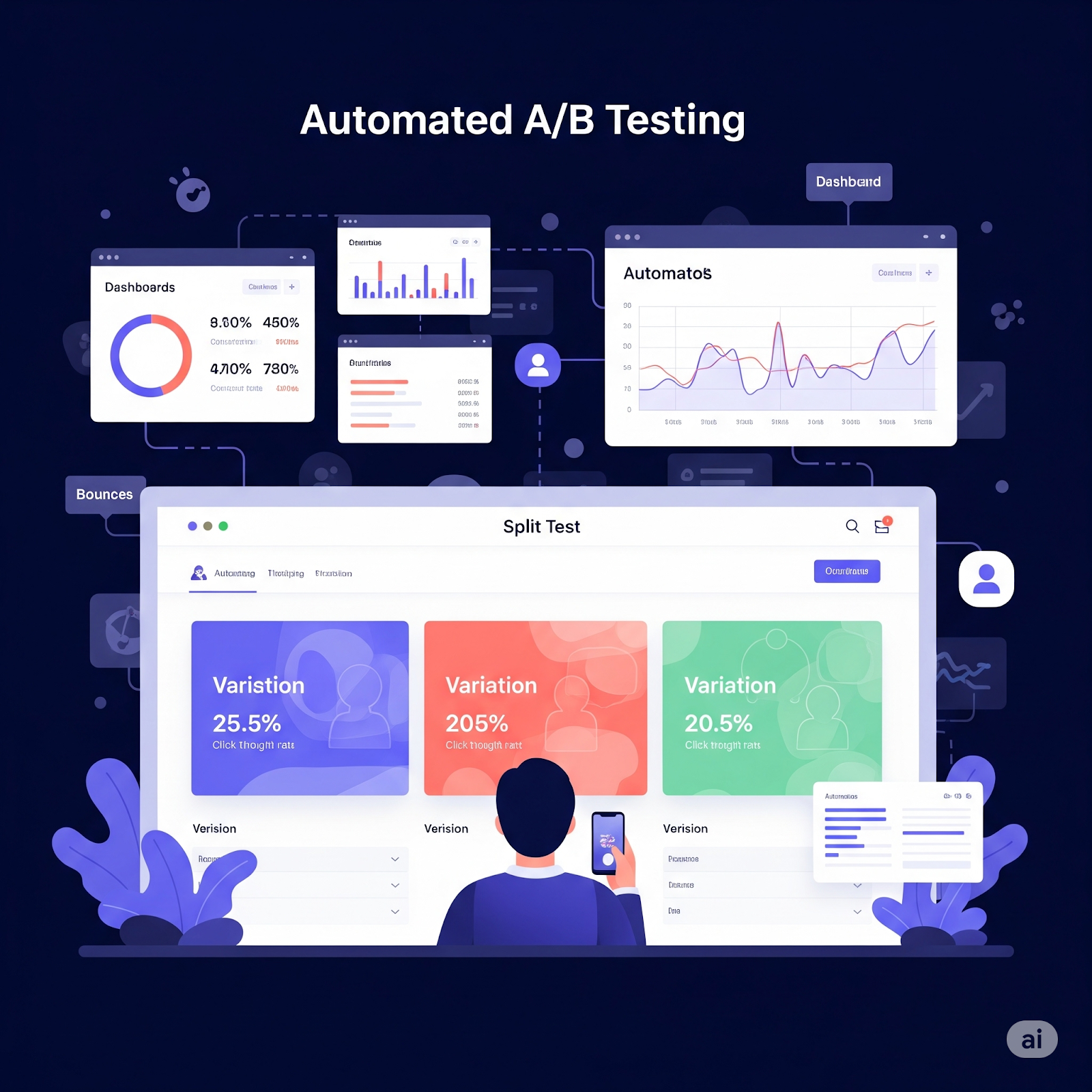
If you’re pouring time, effort, and budget into digital experiences but still struggling with low conversions, it might be time to shift your focus from guesswork to data. That’s where A/B testing automation steps in. In the world of web and product development, small variations in layout, text, or CTA buttons can lead to massive changes in performance.

A/B testing allows teams to compare different versions of a webpage or feature to see which one performs better. When automated, this process becomes faster, smarter, and more scalable, making it a must-have strategy in today’s data-driven environment.

Why A/B Testing Matters More Than Ever in 2025

Digital competition has intensified. Whether you're in e-commerce, SaaS, or publishing, users have endless options. You only get a few seconds to prove value, and a single poorly worded headline or misplaced form field can cost conversions.

Consider these statistics:

  • Only 22% of businesses are satisfied with their current conversion rates (Econsultancy).

  • Companies that run A/B tests regularly are twice as likely to report high conversion rates (HubSpot).

  • Amazon once ran an A/B test on checkout speed and found that 1 extra second of delay cost them $1.6 billion per year.

This isn’t just about optimization. It’s about business survival.

What is A/B Testing Automation?

A/B testing automation involves setting up software tools that continuously run experiments on different versions of a digital element (such as a headline, button color, or pricing tier) and automatically track which version performs better.

Traditional A/B Testing:

  • Manual setup

  • Limited experiments

  • Long decision cycles

Automated A/B Testing:

  • Runs multiple tests simultaneously

  • Adapts dynamically based on user data

  • Integrates with analytics platforms like Google Analytics, Mixpanel, or Segment

  • Automatically pushes the winning variant to production

The difference? Time savings and smarter decisions made at scale.

In fact, we often forget how quickly users scroll past what doesn’t grab them visually or contextually. If you're wondering how deep the problem runs, this analysis of why users don’t read is a sobering reminder for all digital teams.

Where A/B Testing Fits into Your Development Workflow

To make the most of automation, it needs to be baked into your product lifecycle, not slapped on afterward.

A common mistake teams make is treating testing as a marketing add-on. But in truth, A/B testing should start at the development level.

That’s why integrating testing infrastructure into your CI/CD pipeline or version control system helps. Tools like Optimizely, VWO, or Google Optimize can be integrated right into your front-end code or CMS, especially when your frontend development is modular and component-driven.

Testing Automation Works Best When:

  • Changes are pushed through Git and monitored continuously.

  • Code flags or feature toggles allow quick switching of variants.

  • Analytics dashboards are connected at the component level.

When implemented this way, experimentation becomes part of the product, not a layer on top of it.

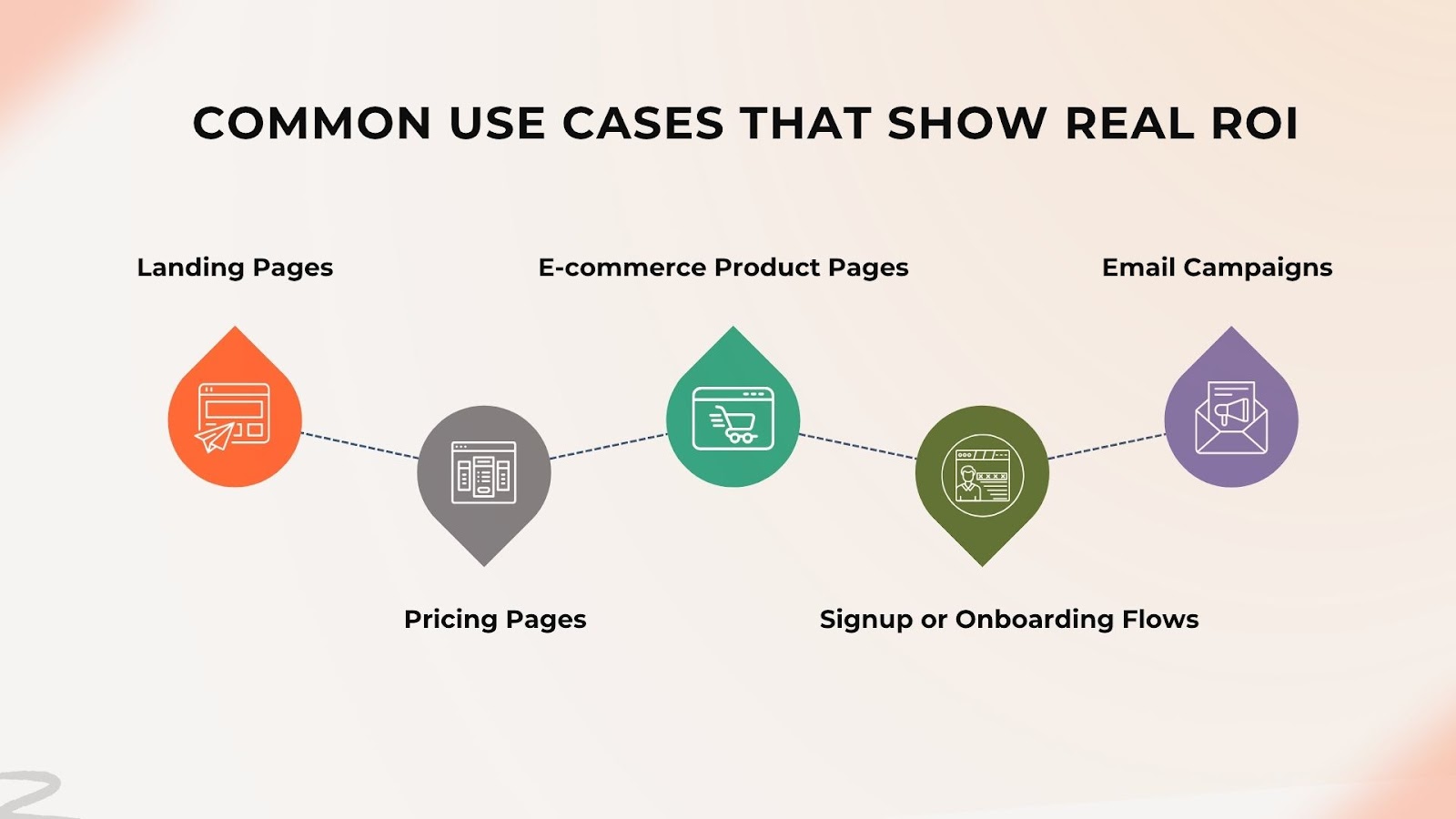
Common Use Cases That Show Real ROI

A/B testing is everywhere, but certain areas consistently deliver the highest returns:

1. Landing Pages

  • Headlines, hero images, CTA buttons

  • Forms (length, layout, field types)

  • Social proof elements like testimonials or badges

2. Pricing Pages

  • Subscription tiers

  • Feature list visibility

  • Call-to-action text

3. E-Commerce Product Pages

  • Product image size and placement

  • “Add to Cart” vs. “Buy Now” buttons

  • Promotions and discount labels

4. Signup or Onboarding Flows

  • Number of steps in the funnel

  • Progress indicators

  • Field autofill vs. manual input

5. Email Campaigns

  • Subject lines

  • Send times

  • Personalization tokens

Design elements like button color, whitespace, and visual hierarchy often play a surprising role in A/B testing outcomes. A thoughtful UI/UX design process ensures these visual elements align with user expectations and guide them toward conversion goals.

Choosing the Right A/B Testing Tools

There are plenty of tools out there, but not all are created equal. Here’s how to choose the right one:

Key Factors to Consider:

  • Ease of integration with your tech stack (e.g., React, Next.js, Node.js)

  • Support for multivariate testing and feature flagging

  • Granular audience targeting

  • Real-time reporting and alerts

  • Security and compliance (GDPR, CCPA)

Top Tools to Explore:

  • Optimizely – Great for enterprise

  • Google Optimize – Free and easy for beginners

  • VWO – Comprehensive features for growing teams

  • LaunchDarkly – Ideal for developers and feature flagging

  • AB Tasty – Designed with marketing teams in mind

Remember: Your testing tool should feel like part of your development environment, not a bolt-on.

The Role of Data and AI in A/B Testing Automation

One of the most exciting developments in recent years is how machine learning models are being used to enhance A/B testing.

AI doesn’t replace the test—it enhances it. Instead of waiting weeks for statistical significance, predictive analytics can forecast winners sooner.

AI-Based Enhancements:

  • Dynamic content personalization

  • Predictive test termination

  • Smart segmentation

  • Contextual recommendations based on behavior

Think of it like this: automation helps you run tests faster. AI helps you interpret results smartly.

Mistakes to Avoid When Automating A/B Tests

Not every experiment yields results, and sometimes, the problem is in the setup. Here are common mistakes teams make:

1. Testing Too Many Variables at Once

Multivariate testing is powerful, but overcomplicating experiments leads to noisy results.

2. Ignoring Sample Size

Tests need enough data to draw conclusions. Stopping too early leads to false positives.

3. Not Setting Clear Goals

What are you optimizing for? Clicks? Signups? Purchases? Define KPIs before starting.

4. Overreliance on Tools

No automation tool can replace critical thinking. Use data to guide, not dictate.

Building a Culture of Experimentation

Perhaps the most underrated benefit of A/B testing automation is the mindset shift it brings to teams.

Instead of making decisions based on the highest-paid person’s opinion (HiPPO), your team starts to trust data. That builds:

  • Cross-functional collaboration between devs, designers, and marketers

  • Faster iteration cycles because test results drive changes

  • More customer-centric design driven by behavior, not assumptions

This cultural shift pays off not just in conversion rates but in better products overall.

Final Thoughts: Turn Insights into Action

If you’re serious about improving conversion rates, A/B testing automation isn’t optional—it’s foundational. By integrating it early in your stack, picking the right tools, and avoiding common mistakes, you’re not just boosting metrics—you’re building a better product.

It’s no longer about guessing what works. It’s about knowing.

And in 2025, knowledge isn’t just power—it’s performance.


UX Red Flags: Why Users Drop Off During Onboarding

  The first few minutes a user spends in your app or product are make-or-break. Onboarding UX isn’t just about tutorials and tooltips; it’s...